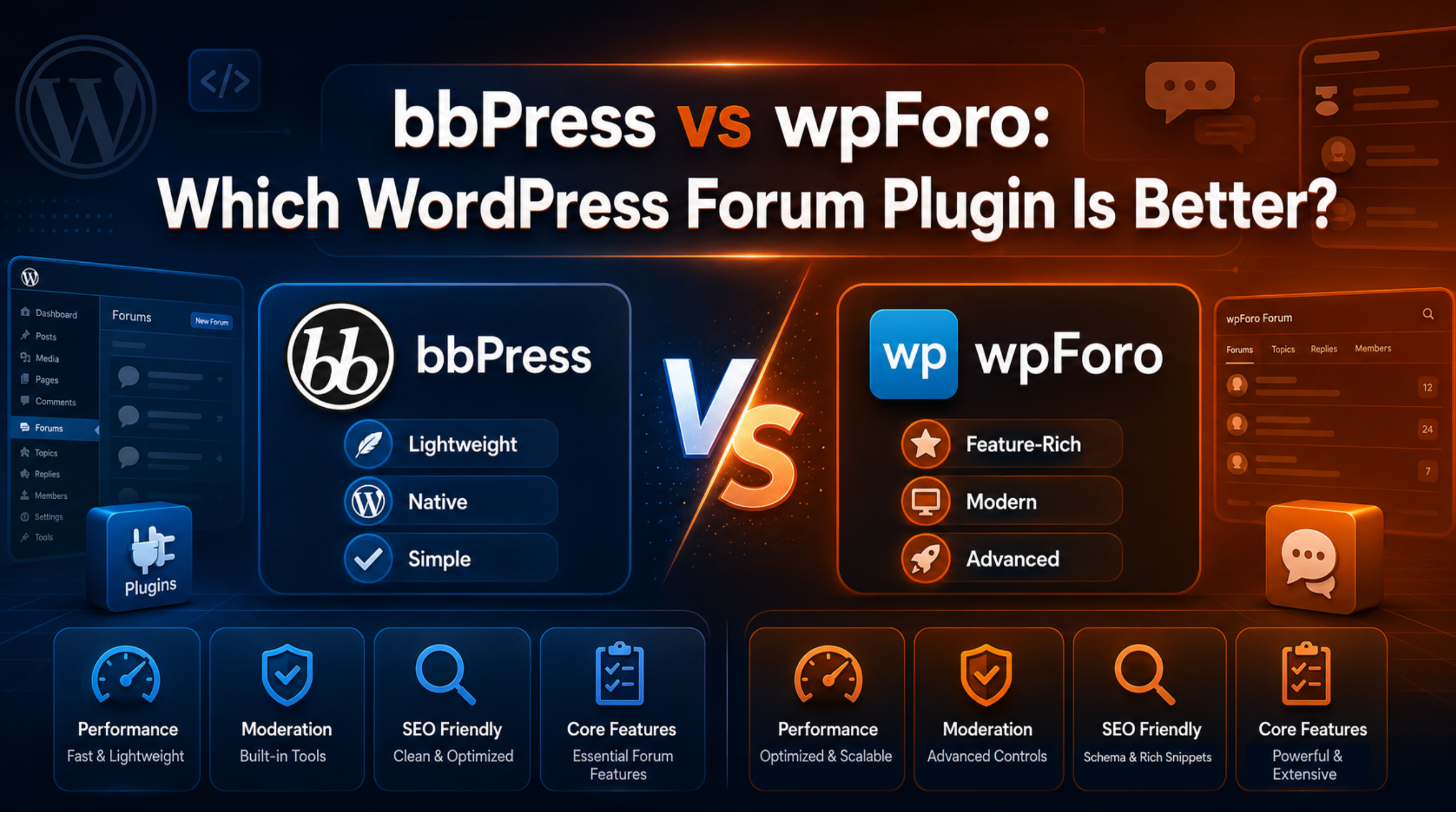
Most people who want a WordPress forum end up choosing between two plugins. bbPress is the older, lighter one. wpForo is the newer, richer one. Both are free. Both work. They just suit different sites.
This bbPress vs wpForo comparison uses live figures from the official WordPress.org plugin directory, checked on 25 August 2026. We compare setup, features, speed, moderation, SEO, and long-term risk, then give a clear recommendation for each type of site.
bbPress vs wpForo at a Glance
| bbPress | wpForo Forum | |
|---|---|---|
| Active installs | 100,000+ | 20,000+ |
| Rating | 78% (about 3.9 of 5) | 94% (about 4.7 of 5) |
| Reviews | 342 | 390 |
| Current version | 2.6.14 | 3.1.5 |
| Last updated | 2 July 2025 | 16 August 2026 |
| Tested up to | WordPress 6.9.7 | WordPress 7.0.4 |
| Minimum PHP | 5.6.20 | 7.1 |
| First released | 2010 | 2016 |
| Author | John James Jacoby | gVectors Team |
Two numbers stand out. bbPress has five times the installs. wpForo has a far higher rating and a much fresher release. Those two facts shape the rest of this comparison.
Setup and First Hour
bbPress
bbPress installs in one click and adds three new menus: Forums, Topics, and Replies. You create a forum the same way you create a post. Then you drop it on a page or link to the forum archive.
There is almost nothing to configure. The settings screen fits on one page. That is a genuine strength if you find plugin dashboards overwhelming.
The catch arrives quickly. Out of the box, bbPress looks like plain text on your theme. Making it look like a forum usually means adding a styling plugin or writing CSS.
wpForo
wpForo runs a short setup wizard on activation. It creates a forum page, a default board, and a sample category for you. When the wizard finishes, you have a working forum that already looks like a forum.
The trade-off is depth. wpForo has many settings screens covering layouts, colours, permissions, SEO, and member profiles. Beginners can ignore most of them, but the sheer number can feel heavy at first.
Verdict: wpForo gets you to a usable forum faster. bbPress gets you to a usable admin faster.
Features Compared
Here is what each plugin gives you without paying anything.
What bbPress includes free
- Forums, topics, replies, and sub-forums.
- Topic subscriptions and favourites.
- Basic roles: participant, moderator, keymaster.
- Private and hidden forums.
- Revision logging on topics.
- Multisite support.
What wpForo includes free
- Multiple separate discussion boards.
- Several forum layouts, including Q&A and threaded styles.
- Member profiles, avatars, badges, and a reputation system.
- Front-end moderation tools.
- Built-in SEO controls and structured data.
- Post reporting, subscriptions, and mentions.
- Importers for bbPress, phpBB, SimplePress, and others.
wpForo clearly wins on features. Several things you would buy as add-ons for bbPress ship free with wpForo.
bbPress narrows the gap through its extension ecosystem. Free companions such as bbp style pack (6,000+ installs, 98% rating) add styling controls and layout options without code. But every add-on is another plugin to update and another possible conflict.
Speed and Site Weight
bbPress is lighter. It stores forums, topics, and replies as standard WordPress post types and loads a small number of scripts. On a modest shared host, that restraint shows.
wpForo uses its own database tables and loads its own CSS and JavaScript bundle. That gives it more control and better performance at large scale, but it adds more front-end weight on a small site.
Neither plugin is slow on decent hosting. The real risk is caching. Forum pages change constantly, so most caching plugins exclude them. That means every forum view hits PHP and the database directly.
If your pages already load slowly, sort that out first. Our guides on fixing page speed issues in WordPress and improving Largest Contentful Paint both apply directly to forum pages.
Verdict: bbPress for the lightest footprint. wpForo scales better once the forum is busy.
Design and Theme Fit
bbPress inherits your theme almost entirely. That is good if your theme includes bbPress styling, and awkward if it does not. Many modern block themes leave bbPress looking unfinished.
wpForo brings its own design system. It looks polished immediately, and you can change colours and layouts from the dashboard. The downside is that it may not match the rest of your site, and it does not follow theme.json settings.
Verdict: pick bbPress if your theme supports it. Pick wpForo if it does not, or if you do not want to touch CSS.
Moderation and Spam Control
This is where wpForo pulls ahead for anyone running a public forum.
wpForo lets moderators edit, move, close, merge, and delete topics from the front end. Members can report posts. You can hold first posts for approval and restrict actions by user group, all from the free version.
bbPress moderation happens in the dashboard, one item at a time. Spam filtering usually means adding Akismet or a separate anti-spam plugin.
Whichever plugin you choose, lock down registration before you open the doors. Follow our walkthrough on setting up All In One WP Security to add login protection and rate limiting.
SEO
wpForo includes its own SEO engine with per-board title and meta templates, plus structured data for forum threads. It also manages canonical URLs for paginated topics.
bbPress relies on your SEO plugin. Yoast and Rank Math both handle bbPress content reasonably well, but you configure it yourself.
One warning applies to both. Forums generate large numbers of thin pages. Noindex your member profile archives and empty tag pages, or you will dilute your crawl budget.
Maintenance Risk
Update cadence is the single biggest difference between these two plugins in 2026.
wpForo shipped version 3.1.5 on 16 August 2026 and is tested against WordPress 7.0.4. bbPress last shipped in July 2025 and is tested to WordPress 6.9.7. bbPress still works, and it is maintained by a long-standing WordPress contributor. But a slower cadence means a longer wait when core changes something.
Ratings reflect this. bbPress sits at 78%, wpForo at 94%. Much of the bbPress criticism in recent reviews points at pace of development rather than broken code.
Before you install either plugin, take a full backup. Our guide to backing up WordPress with UpdraftPlus shows the safe way to do it.
Hosting Requirements
The two plugins ask different things of your server.
bbPress runs on PHP 5.6.20 or newer. That is unusually forgiving, and it makes bbPress the only realistic choice on very old hosting. wpForo requires PHP 7.1 or newer, which almost every current host provides.
Memory matters more than PHP version, though. A forum with active members runs uncached queries all day. Aim for at least 256MB of PHP memory and a host that gives you object caching. Cheap entry-level plans often cope with a quiet forum and then buckle when a thread goes busy.
wpForo also creates its own database tables. Keep that in mind when you plan backups and migrations, because a files-and-posts-only export will miss your forum content entirely.
Three Common Scenarios
A hobby blog adding a reader discussion area. Traffic is low and the theme is simple. bbPress is enough, and it will not slow anything down.
A small business running a customer support board. You need moderation, reporting, and a tidy look without a designer. wpForo wins comfortably.
A course or membership site. You already use a membership plugin and want discussion inside it. Check which forum plugin your membership tool integrates with first, then decide. That integration matters more than any feature list.
Which Should You Choose?
Choose bbPress if
- You want the smallest possible plugin footprint.
- Your theme already styles bbPress.
- You expect a quiet forum with light moderation.
- You run older PHP, since bbPress supports PHP 5.6.20 and above.
- You want your forum data stored as native WordPress post types.
Choose wpForo if
- You want a good-looking forum without writing CSS.
- You need real moderation tools from day one.
- You want badges, reputation, or multiple boards for free.
- You care about frequent updates and current WordPress compatibility.
- You may grow past a few hundred active members.
For most people starting a forum today, wpForo is the safer pick. It is better maintained, better reviewed, and complete on its own. bbPress remains a fine choice when simplicity and weight matter more than features.
If you are still exploring, our roundup of the best free WordPress forum plugins for small communities covers five more options, including Asgaros Forum, which many small sites prefer to both of these.
Can You Migrate Between Them?
Yes, in one direction more easily than the other.
wpForo ships a built-in importer that pulls forums, topics, replies, and users out of bbPress. Run it on a staging copy first and check that authors and dates survive.
Going from wpForo back to bbPress is harder, because wpForo uses custom tables. Expect manual work or a custom script.
Plan the direction you are most likely to travel, and you will save yourself a difficult weekend later.
Frequently Asked Questions
Is wpForo really free?
The core plugin is free and fully functional. gVectors sells paid add-ons for advertising, private messaging, and user custom fields. You do not need them for a standard forum.
Is bbPress abandoned?
No. It is still maintained and still installed on over 100,000 sites. Releases are simply infrequent. Check the bbPress plugin page for the latest release date before you commit.
Which plugin is better for a support forum?
wpForo, because its Q&A layout, post reporting, and front-end moderation suit support threads. For a broader look at what expert help covers, see what WordPress support can fix.
Can I run both at once?
You can, but do not. Two forum plugins compete for URLs and confuse your members. Pick one.
Do either work with BuddyPress?
bbPress integrates tightly with BuddyPress group discussions. wpForo offers its own profile system instead, so the pairing is looser.
Where do I get help if something breaks?
Both plugins have volunteer support on the WordPress.org forums, and free learning material sits at Learn WordPress. For urgent problems on a live site, our instant WordPress live chat support team can step in.
Conclusion
bbPress vs wpForo comes down to a simple trade. bbPress gives you less, but it gives it lightly and stays out of your way. wpForo gives you far more for free, updates often, and looks the part from the first minute.
If you want a forum that works well today without extra plugins, choose wpForo. If you want the lightest, most WordPress-native option and your theme already supports it, choose bbPress. Either way, back up your site, test on staging, and turn on spam protection before you invite your first member.

James is an experienced WordPress and WooCommerce specialist with over 10 years of practical experience. At WPChatSupport, he creates clear guides that help website owners fix WordPress issues, improve speed, secure their sites, and manage WooCommerce stores with confidence. His expertise includes store setup, plugin configuration, theme customization, payment gateway integration, and website troubleshooting. Through simple and helpful content, James supports users in solving technical problems and following best practices for online business growth.