You want a place where your customers, students, or readers can talk to each other. Two obvious options exist. You can start a Facebook group in ninety seconds, or you can add a forum to your own WordPress site in an afternoon.
They look similar from the outside. They are not similar at all once you look at who owns the content, who gets the search traffic, and who can shut it down.
This guide compares both honestly. It covers cost, setup time, reach, moderation, and long-term value, so you can pick the right home for your community the first time.
WordPress Forum vs Facebook Group: The Short Answer
A Facebook group wins on speed and reach. It is free, it takes minutes to create, and your members are already on the platform every day. Notifications work without any setup, and the mobile experience is excellent because Meta spent years polishing it.
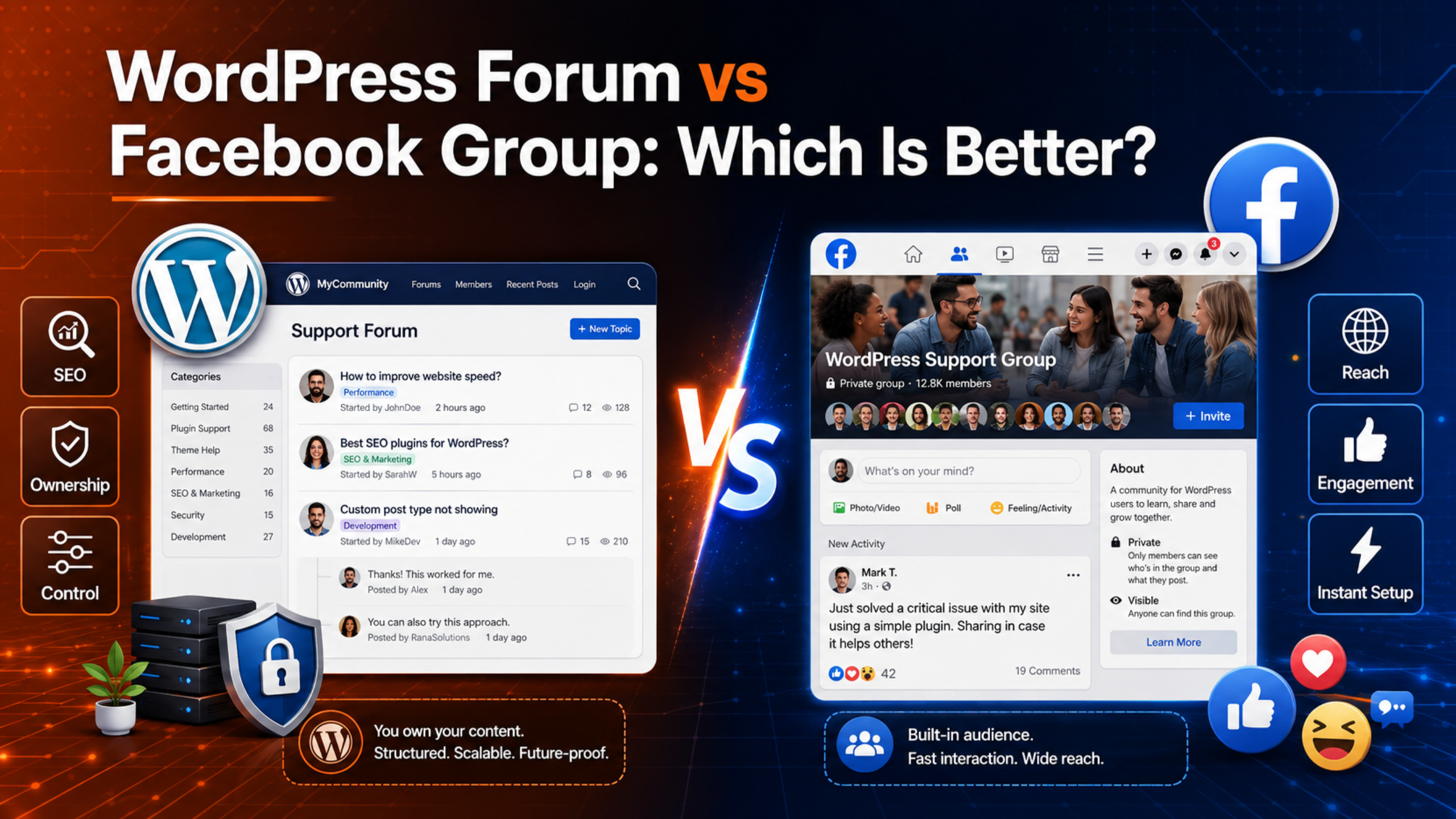
A WordPress forum wins on ownership and search traffic. Every thread is a page on your own domain, so Google can index it and send you visitors for years. The member list lives in your own database, complete with email addresses you can actually use.
If you want fast conversation, choose the group. If you want an asset that compounds, choose the forum. Most established businesses eventually want the second one, which is why so many groups get migrated later at considerable pain.
What a Facebook Group Actually Gives You
Facebook simplified its group privacy model in August 2019. There used to be three settings — public, closed, and secret. Now there are two: public and private. Meta explained the change in its own announcement on group privacy settings.
In a public group, anyone can see who is in the group and everything shared inside it. In a private group, only members can see the member list and the posts. Discoverability is a separate control, so a private group can be visible in search on Facebook or hidden from it entirely.
What you get is genuine and worth naming: zero hosting cost, zero maintenance, a built-in notification system, and an audience that already has the app open. For a casual community, that combination is very hard to beat.
What a WordPress Forum Gives You
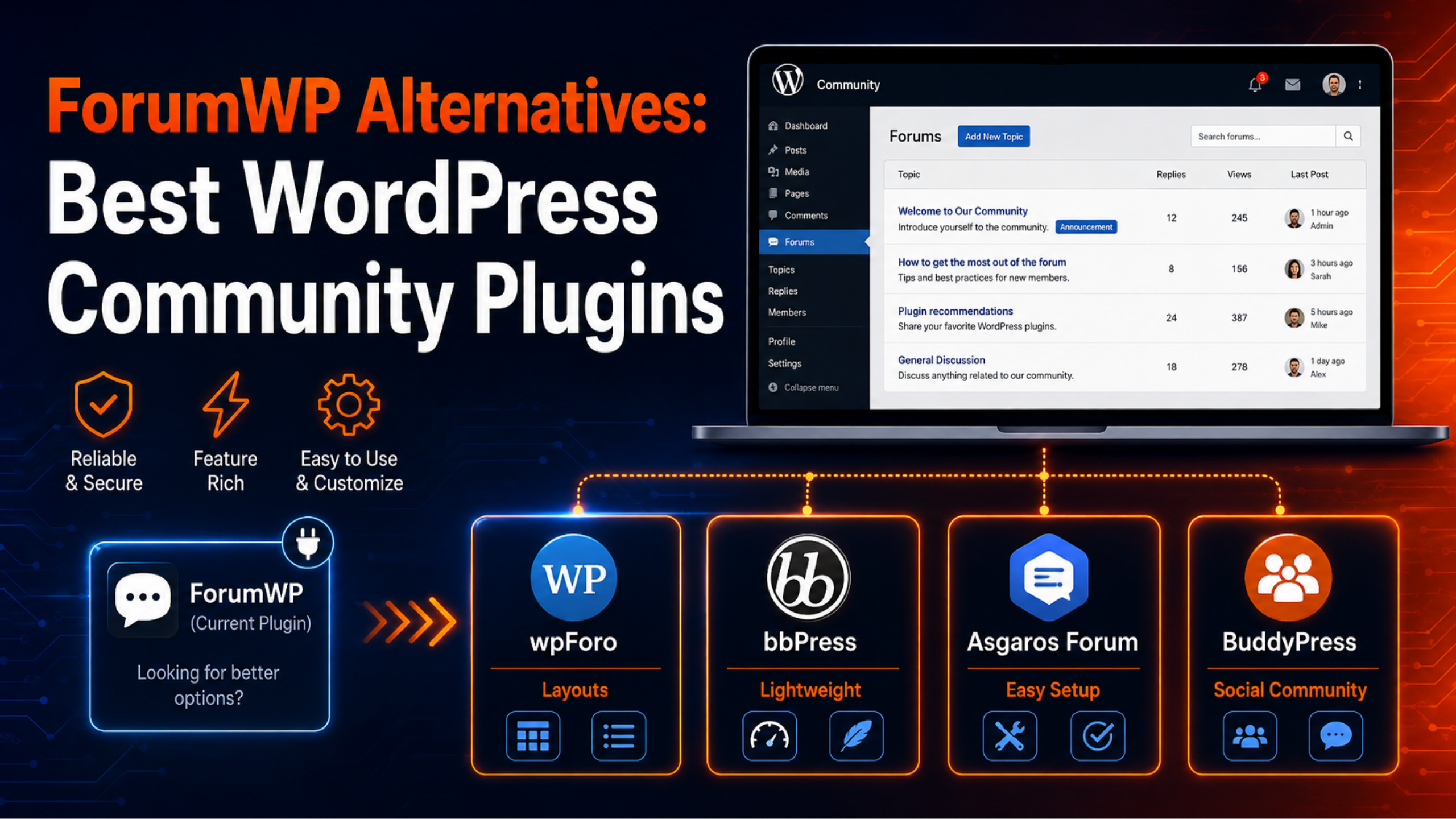
A WordPress forum is a plugin that adds discussion boards to the site you already run. Free options such as Asgaros Forum, wpForo, and bbPress all deliver a working forum without any purchase. Our roundup of the best WordPress forum plugins for membership sites compares the main choices.
Every thread becomes a real URL on your domain. Search engines can crawl those pages, and each answered question can rank on its own. Members register through your site, so their email addresses land in your WordPress users table where you can export them.
You also control the rules completely. You decide who can post, what the categories are, how the pages look, and when content gets removed. No outside policy team can restrict any of it.
Side-by-Side Comparison
The table below summarises the practical differences. Read it as a starting point rather than a verdict, because the weight you give each row depends entirely on your goal.
| Factor | WordPress Forum | Facebook Group |
|---|---|---|
| Setup time | 2 to 4 hours | Under 5 minutes |
| Direct cost | Hosting only; core plugins free | Free |
| Content ownership | Yours, in your database | Held on Meta’s platform |
| Search traffic | Threads rank on your domain | Traffic value stays on Facebook |
| Member emails | Stored in your user table | Not provided to admins |
| Notifications | Email and subscriptions you configure | Built in and instant |
| Mobile app | Responsive web pages | Native app members already use |
| Spam handling | Your plugins and rules | Meta’s systems plus your moderators |
| Risk of losing it | Only if you delete it | Policy enforcement or account issues |
Notice how the rows split cleanly. Facebook wins nearly everything about convenience. WordPress wins nearly everything about control and long-term value. There is no row where both win, which is why the decision feels difficult.
Ownership: The Difference That Matters Most
This is the row people underestimate. On Facebook, your community lives inside someone else’s product, under someone else’s rules. Meta’s Community Standards apply to private and public groups alike, and the company states plainly that it proactively detects and removes content and groups that break those rules.
That enforcement exists for good reasons. It also means a group you spent three years building can be restricted by a decision you were not part of and cannot appeal quickly. Facebook’s own help pages note that there are restrictions on if and when an admin can even change a group’s privacy setting.
There is a second, quieter problem. You cannot export a Facebook group’s discussions into a usable archive. Three years of answers are effectively locked in place. With a WordPress forum, the threads sit in your own database, and a backup captures all of it. Our guide to building a private member forum in WordPress covers how to lock that content down while still owning it.
Search Traffic: Where the Long-Term Value Sits
A forum thread is a page. It has a title, a URL, headings, and body text, all on your domain. When somebody searches for the exact problem your member described, that page can rank and bring them to your site. From there they can read your other content, join your list, or buy something.
A Facebook group post does none of that for you. Private group content is not available to search engines at all. Even in a public group, any discovery value flows to facebook.com rather than to your business. You are building someone else’s search footprint with your community’s effort.
The compounding effect is what people miss. A forum with 400 answered threads is 400 chances to be found. That number only grows, and it keeps working while you sleep. A group with 400 posts is 400 items that have already scrolled out of the feed.
Cost and Setup Time Compared
A Facebook group costs nothing and takes about two minutes. Name it, set the privacy, write a description, add three membership questions, and invite people. There is no hosting bill and no maintenance work at all.
A WordPress forum costs whatever your hosting already costs. The leading forum plugins are genuinely free, so the real expense is time. Budget two to four hours for a first setup: install the plugin, create categories, configure permissions, add spam protection, and test with a second account. Our walkthrough on adding a forum to WordPress without coding covers the whole sequence.
Ongoing costs are modest but real. Forums are query-heavy, so a busy board may eventually need better hosting. Plan for that rather than being surprised by it.
Moderation and Spam: Which Is Easier to Run?
Facebook does more of this work for you. Meta runs automated detection across both private and public groups, and admins get membership questions, keyword alerts, and post approval as standard tools. For a small team, that saves real hours every week.
A WordPress forum puts the job on you. An open registration form attracts bots within days, so you need defences before you launch rather than after. Turn on reCAPTCHA, require email confirmation, and hold each member’s first post for review. Adding a security layer helps too, and our guide to setting up the All In One WP Security plugin covers login lockouts and firewall rules.
The trade-off is control. On your own forum you set the rules and enforce them consistently. On Facebook, a moderation decision can be reversed by the platform without warning.
Member Experience and Engagement
Facebook has a structural advantage here, and it is worth being honest about it. Your members already have the app installed and open. Notifications reach them instantly. Posting takes one tap, and nobody needs to remember a new password.
A forum asks more. Members must register, confirm an email, remember a login, and choose to visit. Every one of those steps loses some people. You can narrow the gap with good email digests, single sign-on, and a fast mobile layout, but you will not close it entirely.
What a forum offers instead is depth. Threads stay organised and searchable, so a two-year-old answer is still easy to find. Facebook’s feed buries anything older than a few days. Casual chat suits the group; considered answers suit the forum.
When a Facebook Group Is the Better Choice
Choose a group when speed matters more than ownership. If you are testing whether an audience exists at all, spending four hours on forum setup is premature. Start the group, see whether people actually talk, and decide later.
It is also the right call for short-lived communities. A cohort for one course, a group for one event, a launch team for one product — none of those need permanent, indexable pages. When the project ends, the group can simply be archived.
Finally, choose a group if your members are not technical and your topic is social rather than technical. A local club or a hobby group will get far more participation on Facebook than on any forum you build, however good it is.
When a WordPress Forum Is the Better Choice
Choose a forum when the same questions keep coming back. Support communities, software products, and courses all generate repeat questions, and a searchable archive answers them once instead of weekly. That archive also cuts your support load measurably over a year.
Choose it when search traffic is part of the plan. If you want community discussions to bring new visitors to your site, they have to live on your site. There is no way around that.
Choose it when you charge for access. Gating a forum behind a membership level is straightforward with WordPress plugins, and the paywall is yours to control. Facebook groups can be paid, but you are renting the space and following someone else’s rules about it.
Can You Run Both?
Yes, and for many businesses that is the strongest answer. The two platforms do different jobs well, so use each for what it is good at instead of forcing one to do everything.
The usual pattern works like this. The Facebook group handles announcements, quick chat, and discovery, because that is where casual attention already lives. The WordPress forum handles real questions and detailed answers, because those need to be findable a year from now. When a good question appears in the group, an admin answers it briefly and links to the forum thread with the full answer.
That single habit moves your durable content onto your own domain while keeping the reach Facebook gives you. Our roundup of the best online WordPress communities shows how many established projects run exactly this split.
Watch Your Site Speed If You Choose the Forum
Forums are database-heavy in a way that ordinary blog pages are not. Each thread page pulls posts, users, avatars, and permission checks. Logged-in members also see a personalised view, so full-page caching usually has to be switched off for forum URLs.
Three habits keep this under control. Keep avatars small and lazy-loaded. Clear spam and dead threads regularly so the tables stay lean. Enable object caching if your host offers it, because that covers the queries page caching cannot.
Watch your core web vitals for the first month after launch. If large images or slow templates start dragging pages down, our guide to fixing Largest Contentful Paint in WordPress covers the usual culprits. If things get worse rather than better, our live WordPress support team handles forum plugin conflicts and performance problems directly.
Frequently Asked Questions
Is a Facebook group better than a WordPress forum for SEO?
No, and the gap is not close. A WordPress forum publishes every thread as a crawlable page on your own domain, so answered questions can rank and send visitors to your site for years. Facebook group content works differently. Private group discussions are not available to search engines at all, and even public group content builds facebook.com rather than your domain. If organic search is part of why you want a community, the forum is the only option that serves that goal. Many businesses run both and simply make a habit of moving detailed answers from the group into the forum, so the durable content ends up where it earns them traffic.
Can I move my Facebook group to a WordPress forum?
You can move the people, but not really the content. Facebook provides no export that turns years of group discussions into importable threads, so the archive stays where it is. What you can do is migrate the community itself. Set the forum up properly first, seed it with twenty strong threads taken from questions the group already asks, then announce the move with a clear reason and a direct link. Expect to run both in parallel for a couple of months. Keep posting in the group, but answer briefly and link to the fuller forum thread each time. That trains people to follow without feeling pushed.
How much does it cost to run a WordPress forum?
The plugin cost can be nothing. Asgaros Forum, wpForo, and bbPress all ship working free versions on the WordPress.org directory, and their free tiers are genuinely complete rather than locked demos. Your real costs are hosting and time. Shared hosting handles a small forum fine, but a busy board with thousands of posts eventually wants more memory and better database performance. Budget for a hosting upgrade at that point rather than being caught out. Paid add-ons exist for private messaging, custom fields, and advanced moderation, but buy those only when you hit a specific limitation you can name.
Do people still use forums in 2026?
Yes, particularly for support and technical topics. The format never went away; it just stopped being the default place for casual chat. Anyone who has searched for an error message and landed on a five-year-old forum thread has seen the value first-hand. That is exactly the behaviour a forum is built for. Social platforms are better for conversation happening right now, while forums are better for answers that need to be found later. The two serve different needs. If your community mostly asks questions with real answers, a forum will outperform a feed every time, because answers keep working long after the conversation ends.
Which is easier to moderate, a group or a forum?
A Facebook group is easier out of the box. Meta applies its Community Standards and automated detection across both private and public groups, and admins get membership questions, keyword alerts, and post approval without configuring anything. A WordPress forum gives you nothing until you set it up, so spam protection, reCAPTCHA, email confirmation, and first-post moderation all need enabling before launch. The compensation is control. On your own forum, your rules are the only rules, and a moderation decision cannot be reversed by an outside policy team. Which matters more depends on whether your bottleneck is time or independence.
Can I make a WordPress forum private like a Facebook group?
Yes, and you get finer control than Facebook offers. Forum plugins let you restrict boards by user role or membership level, so you can keep some categories public for search traffic and lock others to paying members. You can also hide restricted boards entirely from people who cannot access them. Set this up before you invite anyone, then test it with a real second account rather than an admin login, because administrators see everything by default and prove nothing. Our guide to building a private member forum in WordPress walks through the permission mapping and the testing steps in detail.
Conclusion
There is no universal winner here, but there is usually a clear winner for your situation. A Facebook group is the right choice when you need reach quickly, when the community is casual or short-lived, and when you have no time for setup. It costs nothing and works immediately.
A WordPress forum is the right choice when the questions repeat, when search traffic matters, and when you need to own the archive and the member list. It takes an afternoon to build and some ongoing attention to run, but it is an asset rather than a rental.
If you are still unsure, run the group first and watch what happens for a month. If the same questions keep resurfacing and scrolling away, that is your signal to build the forum. When you are ready, our guide to creating a question-and-answer forum in WordPress shows the fastest route to a searchable, vote-driven board. Back up first, test on staging, and switch on spam protection before you open the doors.

James is an experienced WordPress and WooCommerce specialist with over 10 years of practical experience. At WPChatSupport, he creates clear guides that help website owners fix WordPress issues, improve speed, secure their sites, and manage WooCommerce stores with confidence. His expertise includes store setup, plugin configuration, theme customization, payment gateway integration, and website troubleshooting. Through simple and helpful content, James supports users in solving technical problems and following best practices for online business growth.