WordPress powers millions of websites, but it does not come with a single support hotline. Help is spread across forums, hosts, developers, and paid services. That is great news once you know where to look. It can be confusing when you do not.
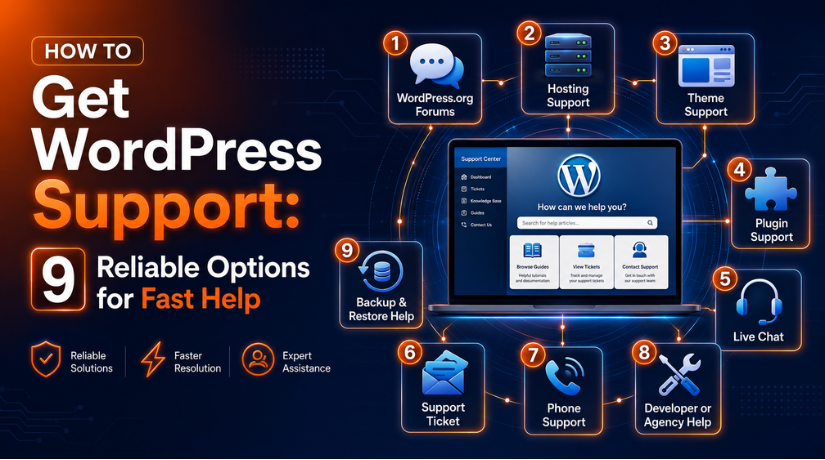
This guide lists nine reliable ways to get WordPress support. You will learn what each option is best for, what it costs, and how fast you can expect a reply. By the end, you can pick the right channel for your problem and get help without wasting time.
First, Know Which WordPress You Use
Where you get support depends on which version of WordPress you run.
WordPress.com is a hosted service. Your site, hosting, and software live in one place, so one company handles your support. Self-hosted WordPress runs on hosting you buy yourself. No single company owns that setup, so support comes from several sources.
If you are not sure which one you have, check where you log in. A dashboard at yoursite.com/wp-admin usually means self-hosted WordPress. A login at wordpress.com means the hosted service.
1. The WordPress.org Support Forums
The official WordPress.org forums are the main help channel for self-hosted sites. Volunteers, core contributors, and some plugin authors answer questions there for free.
You need a free WordPress.org account to post. Search first, because many common issues are already solved in old threads. When you post, describe the problem clearly and add your WordPress version.
Best for: free help with common issues and plugin questions. Keep in mind that volunteers reply on their own time, so answers can take hours or days.
2. WordPress.com Support
If your site is hosted on WordPress.com, support depends on your plan. Paid plans unlock direct help through live chat and email.
Live chat is available on the Business and Commerce plans. You can also open the Help menu inside your dashboard and choose Contact Support. WordPress.com does not offer phone support, so chat and email are your fastest routes. You can review the current WordPress.com support options before you reach out.
Best for: WordPress.com users on a paid plan who want quick, official answers.
3. Your Hosting Provider
For a self-hosted site, your host is often the best first call. Many hosts include WordPress help in their plans and offer live chat or tickets around the clock.
Your host can check server errors, restore backups, review resource limits, and confirm whether the problem is on their end. They cannot always fix plugin conflicts or custom code, but they can rule out server issues fast.
Best for: server errors, downtime, and anything that might be hosting related.
4. Plugin and Theme Developers
WordPress is open source, so plugins and themes come from many different makers. When a specific plugin or theme breaks, its developer is the right contact.
Free products usually offer support through their WordPress.org forum tab. Paid products often include a private help desk or ticket system. Always check the product page for a documentation link before you ask, since many answers are already written down.
Best for: bugs, settings, and features tied to one plugin or theme.
5. Official Documentation and Learn WordPress
Sometimes you do not need a person. You need clear instructions.
The WordPress documentation covers setup, settings, and common tasks in plain steps. Learn WordPress adds free lessons and workshops for beginners and developers. These resources are a fast way to solve simple problems on your own, at any hour.
Best for: how-to questions and learning a task step by step.
6. Professional WordPress Support Services
If you want fast, hands-on help without doing the work yourself, a professional support service is a strong option. These teams handle errors, security, updates, and fixes for a monthly fee or per task.
A managed service is useful when your site is important to your business and you cannot afford long delays. You get expert help without hiring a full-time developer. This is where a service like WP Chat Support fits, with round-the-clock help for errors, security, and maintenance.
Best for: business owners who want reliable, ongoing help and quick response times.
7. WordPress Communities and Groups
A huge community sits behind WordPress, and much of it is happy to help.
Facebook groups, Reddit threads, and the Make WordPress Slack are active every day. You can ask questions, compare tools, and learn from other users. Replies are not guaranteed, and advice can vary in quality, so confirm any fix before you apply it to a live site.
Best for: quick opinions, tool suggestions, and general advice.
8. WordCamps and Local Meetups
WordPress has a strong offline community too. WordCamps are local events where users and developers meet, share talks, and answer questions in person.
Local meetups run in many cities and are usually free. Meeting people face to face is a good way to build contacts you can ask for help later. Search for a WordPress meetup or WordCamp near you to get started.
Best for: networking, learning, and finding local experts.
9. Freelance WordPress Developers
For custom work or one-off fixes, a freelance developer can help. You can find them through referrals, freelance marketplaces, or the recommendations of other site owners.
A freelancer is a good fit for design changes, custom features, or a problem no forum could solve. Always agree on the scope and price first, and only share admin access with someone you trust.
Best for: custom development and complex one-off problems.
How to Choose the Right Option
Match the channel to the problem.
Start with free resources for simple questions. Contact your host for anything that looks server related. Reach out to a plugin or theme developer when one product misbehaves. Choose a professional service or freelancer when the issue is urgent, complex, or business critical.
You can also combine options. Many site owners handle small tasks themselves and keep a support service on hand for bigger problems.
How to Get Help Faster
The way you ask affects how fast you get a useful answer. Before you reach out, gather a few details:
- Write down the exact error message or describe what you see.
- Note when the problem started and what you changed just before it.
- List your WordPress version, active theme, and key plugins.
- Mention any steps you have already tried.
- Take a backup before anyone makes changes to your site.
Clear details help the person skip the guesswork and get to the fix. Vague requests almost always lead to slower replies.
Frequently Asked Questions
Does WordPress have a phone number?
There is no official WordPress phone line for the software itself. Your hosting provider or a paid support service may offer phone help, but the WordPress project does not.
Is WordPress support free?
Much of it is. The forums, documentation, and community groups cost nothing. Paid plans, professional services, and freelancers charge a fee for faster or hands-on help.
Who do I contact first when something breaks?
For a self-hosted site, start with your host if the issue looks server related. Contact the plugin or theme developer if one product is the cause. Use a professional service when you need a fast, guided fix.
Is it safe to give someone admin access?
Only share admin access with a trusted host, developer, or established support service. Create a separate admin account for them, and remove it once the work is done.
Conclusion
WordPress support is not in one place, and that is its strength. You can pick free forums, official documentation, your hosting provider, a plugin developer, or a professional service, based on what you need.
For simple questions, start with free resources and your host. For urgent or business-critical issues, a professional support service gives you the fastest, most reliable help. Match the channel to the problem, share clear details, and always back up your site before changes are made.

James is an experienced WordPress and WooCommerce specialist with over 10 years of practical experience. At WPChatSupport, he creates clear guides that help website owners fix WordPress issues, improve speed, secure their sites, and manage WooCommerce stores with confidence. His expertise includes store setup, plugin configuration, theme customization, payment gateway integration, and website troubleshooting. Through simple and helpful content, James supports users in solving technical problems and following best practices for online business growth.